


SnapScan betting sites in South Africa
Prefer paying from your phone? SnapScan gives bettors a mobile-first way to fund selected South African sportsbook accounts using a supported QR or online payment flow, with the transaction approved through SnapScan.
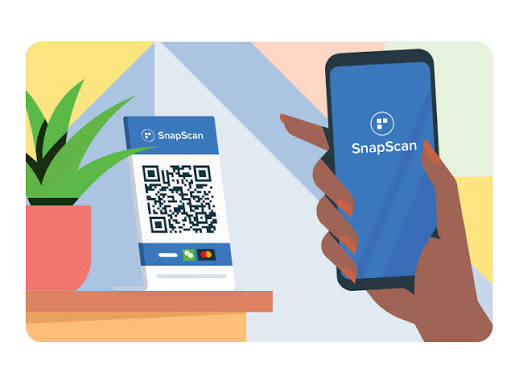

Select SnapScan where your sportsbook supports it, follow the QR or online checkout flow, check the amount and approve the payment from your phone.
What is SnapScan and how does it work?
SnapScan is a South African mobile payment platform that lets you pay digitally using QR codes and supported online payment flows. At a sportsbook that accepts SnapScan, you simply choose the payment method, move into the SnapScan checkout and approve the transaction from your phone.
No voucher. No PIN. Just your phone.
SnapScan works differently from prepaid methods such as Kazang, OTT Voucher or 1Voucher. Rather than buying a code first, the payment happens digitally between you and the sportsbook. Review the merchant and amount in SnapScan, approve the payment, and return to your betting account.
From sportsbook to funded account in four steps
The exact screens can differ between sportsbooks, but the underlying payment journey is normally very similar.
Log in and head to the Deposit or Payments section.
Select SnapScan if it appears as an available payment method.
Scan the QR code or follow the supported mobile payment flow.
Confirm the merchant and amount, then complete your payment.
Sportsbooks that accept SnapScan
If SnapScan is already part of how you pay day to day, these sportsbooks are useful places to start. Each offers sports betting alongside a SnapScan deposit route, although payment options can change, so always confirm SnapScan in your live cashier before depositing.

Easybet
A simple, mobile-first sportsbook with a strong mix of local payment options.
- Strong mobile betting experience.
- SnapScan appears among Easybet’s supported local payment options.
- Good fit for football, rugby and live betting users.

YesPlay
A mobile-focused sportsbook with sports, Lucky Numbers and fast-play entertainment.
- Good option for players who mostly bet from their phone.
- SnapScan sits alongside other local options such as Zapper and Ozow.
- Sportsbook includes football, rugby, cricket and live markets.

Goldrush
A broader betting platform combining sportsbook markets with a large casino offering.
- Sportsbook and live betting available in the same account.
- Useful if you also want slots and casino games alongside sport.
- Broad South African payment selection.
How to deposit with SnapScan
Depositing with SnapScan is designed to feel familiar if you already use mobile payments. Choose SnapScan in your sportsbook cashier, follow the QR or mobile payment flow, check the transaction details and approve. The exact screens can vary slightly by bookmaker.
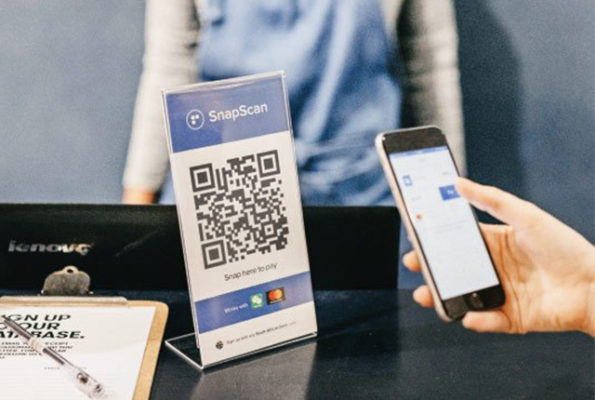
Your phone becomes the payment step
No betting voucher is needed. SnapScan connects you directly to a supported digital checkout where you can review and approve the payment.
Your SnapScan deposit journey
Five simple steps from sportsbook cashier to completed payment.
Log into your account and choose Deposit, Cashier or Payments.
Choose SnapScan from the available payment methods and enter your preferred deposit amount.
Scan the displayed QR code with your phone or follow the supported mobile payment link.
Confirm that the merchant and amount shown in SnapScan match the deposit you intended to make.
Authorise the payment through SnapScan and check that your sportsbook balance updates successfully.
Always verify the merchant and amount before approving the transaction in SnapScan.
Keep the QR code open on your sportsbook screen and scan it using SnapScan on your phone.
Where supported, a mobile payment link can take you directly into the SnapScan payment journey without needing another screen.
SnapScan fees, limits & deposit times
SnapScan itself keeps the payment journey fairly simple, but betting deposit limits and processing rules are usually set by the sportsbook rather than SnapScan. Here’s what to know before you pay.
Usually fast
Once your SnapScan payment is successfully authorised, the sportsbook can credit the deposit quickly. The exact posting time still depends on the operator.
Usually no payment fee
SnapScan’s consumer terms state that there is no fee to access the app or pay for purchases. If a transaction, service or convenience fee applies, it should be shown before you complete the payment.
Bookmaker-specific
There is no single SnapScan betting deposit limit that applies across every sportsbook. Minimum and maximum amounts should be checked in the live cashier.
SnapScan handles the payment. The sportsbook sets the deposit rules.
Your bookmaker can set its own minimum deposit, maximum deposit and account-level restrictions. That means two sportsbooks using SnapScan can still show different deposit ranges.
A successful payment does not always mean every sportsbook will display the balance at exactly the same moment.
SnapScan vs Zapper vs Instant EFT
There isn’t one payment method that is automatically best for every bettor. SnapScan and Zapper suit mobile-first QR payments, while Instant EFT is usually a better fit if you prefer paying directly through your bank.
SnapScan
A QR and mobile-payment option that lets you move from the sportsbook into a SnapScan payment journey and approve the transaction from your phone.
- QR code or supported payment-link journey.
- Review and approve the payment from your phone.
- No prepaid betting voucher required.
Zapper
Another South African digital-payment app built around paying registered merchants through supported QR and app-based payment flows.
- Merchant QR payments through the Zapper app.
- Familiar alternative to SnapScan for QR users.
- Availability still depends on the sportsbook cashier.
Instant EFT
A direct bank-payment route where you select your bank, authenticate through the payment provider and transfer funds into your betting account.
- No separate QR-payment app required.
- Uses your bank or internet-banking authentication.
- Commonly available across South African sportsbooks.
Choose the payment journey that already fits how you pay
Don’t choose a sportsbook purely around one payment method. Start with the operator you want, then choose the most convenient supported payment rail inside its cashier.
you already use SnapScan, prefer QR/mobile payments and want a digital checkout without entering bank-login details each time.
you’re already a Zapper user and the sportsbook supports it as one of its merchant payment options.
you would rather move money directly from your bank and don’t want to use a separate QR-payment app.
Can you withdraw with SnapScan?
Depositing and withdrawing are two separate parts of your betting account. A sportsbook accepting SnapScan deposits does not automatically mean it will pay your winnings back through SnapScan. Your available withdrawal methods are determined by the bookmaker.
Usually, choose another withdrawal method
Think of SnapScan as the route used to move money into your sportsbook account. Once those funds form part of your betting balance, the sportsbook’s own withdrawal rules take over. When you’re ready to cash out, open the Withdraw section of your account and choose from the methods available there.
Approve your payment through the supported SnapScan checkout.
Your approved deposit becomes part of your sportsbook account balance.
Withdraw eligible winnings using a payout method offered by the bookmaker.
SnapScan supports merchant transaction refunds through its payment system, but a refund reverses or returns a payment. A sportsbook withdrawal is the separate process of paying out eligible funds from your betting account.
Don’t wait until you’ve won to discover how your sportsbook pays out. Review both deposit and withdrawal options when choosing an operator.
SnapScan deposit not working?
Most SnapScan deposit problems come down to the payment not completing, the sportsbook not recognising it yet, or incorrect transaction details. Don’t immediately try the payment again. Check what happened first so you don’t accidentally create a duplicate payment.
Look at your SnapScan transaction history and sportsbook balance before starting another deposit attempt.
The QR code won’t scan
The QR may be difficult to read, expired, or displayed incorrectly. If you’re paying on the same phone, a supported payment link may be easier than trying to scan your own screen.
Payment is still pending
A payment can temporarily remain pending while the transaction is being processed. SnapScan’s own payment system recognises pending payments as a distinct status.
SnapScan shows paid, but my balance is missing
If SnapScan shows a completed payment but your sportsbook account has not been credited, the issue is likely on the merchant or sportsbook side rather than the payment approval itself.
The payment was declined or failed
A failed payment can be caused by your selected payment method, card availability, Wallet balance or transaction limits.
Wrong merchant or amount appears
Don’t approve a payment if the merchant or transaction value does not match the sportsbook deposit you intended to make.
SnapScan app itself isn’t working
If the problem is with the app rather than the sportsbook payment page, SnapScan’s support team is the right place to escalate it.
SnapScan’s payment system can report transactions as completed, pending or error.
Start with the side that owns the problem
This can save you being sent back and forth between the payment provider and the sportsbook.
Best for a completed payment that hasn’t reached your betting balance, incorrect sportsbook cashier details, or account-specific deposit restrictions.
See SnapScan sportsbooks →Best for problems with the SnapScan app, payment functionality, linked cards or other SnapScan-specific technical issues.
help@snapscan.co.zaSnapScan currently advises users not to share passwords or PINs through calls, messages, WhatsApp or email and recommends verifying unexpected requests through trusted support channels.
SnapScan betting questions answered
Still deciding whether SnapScan is right for you? These are the most common questions about SnapScan betting deposits, fees, limits, withdrawals and troubleshooting.